Download MavingoPDF v1.5.0
Manage your documents securely and completely offline.
Or...
Free to download and use.
Key Features
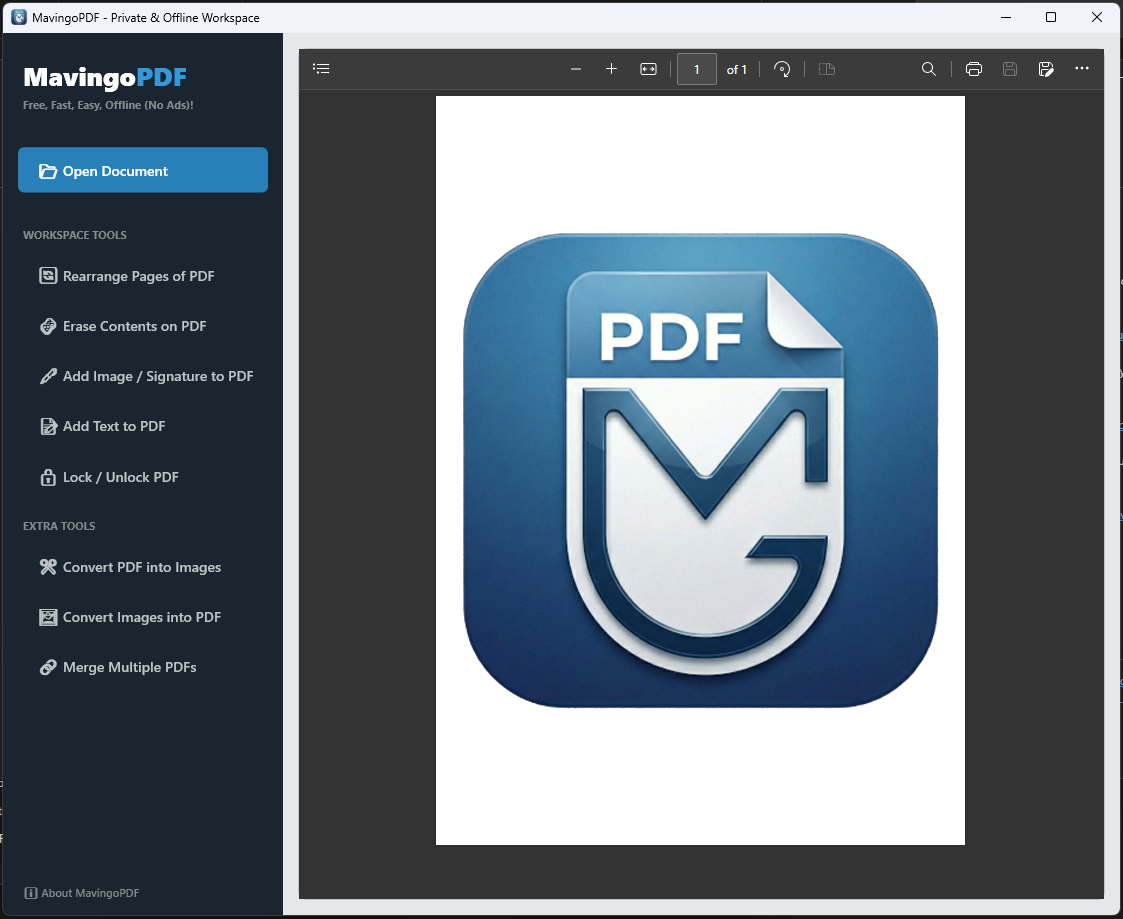
- 100% Offline processing. Your sensitive documents never leave your PC.
- Easily merge multiple PDF files into a single document.
- Easily Rearrange pages of a PDF.
- Easily add texts/images to a PDF.
- Erase sensitive information from PDF.
- Lock/Unlock PDFs with password.
- Fast and lightweight engine optimized for Windows.
- Clean, intuitive, and ad-free user interface.
Screenshots
How to Uninstall
If you need to uninstall MavingoPDF, you can do so easily using the standard Windows method:
- Open the Start Menu and click on Settings (gear icon).
- Navigate to Apps > Apps & Features.
- Locate MavingoPDF in the list of installed applications.
- Click on it and select Uninstall. Follow the on-screen prompts to complete the removal.
No data is left behind, and no third-party software is bundled with our tools.